Kubernetes Deployment
This article describes how to deploy a Linkis service in a Kind Kubernetes environment for easier learning and debugging.
1. Dependencies and versions
kind github:https://github.com/kubernetes-sigs/kind
kind web site:kind.sigs.k8s.io/
Versions
- kind 0.14.0
- docker 20.10.17
- centos 7.6
- helm 3.x
Notice
- Ensure that the component depends on the version
- kind means that the machine simulating node with docker container is restarted and the container has changed and the scheduler is not working anymore. This is a kind limitation and there is a detailed explanation in the official document.
2.Install the docker
2.1 Install the tutorial
sudo yum install -y yum-utils device-mapper-persistent-data lvm2
sudo yum -y install docker-ce
systemctl start docker
systemctl enable docker
3. Install the kind
Step1 Manually download the kind binary
https://github.com/kubernetes-sigs/kind/releases
Step2 Install kind Binary
chmod +x ./kind
mv kind-linux-amd64 /usr/bin/kind
4. Install linkis
Step1 Download linkis1.3.1 deployment package
apache-linkis-1.3.1-incubating-bin.tar.gz
Step2 Build directory
mkdir -p /opt/data/common/extendlib
Step3 Copy driver to /opt/data/common/extendlib
curl https://repo1.maven.org/maven2/mysql/mysql-connector-java/8.0.28/mysql-connector-java-8.0.28.jar -o /opt/data/common/extendlib/[mysql-connector-java-8.0.28.jar](https://repo1.maven.org/maven2/mysql/mysql-connector-java/8.0.28/mysql-connector-java-8.0.28.jar)
Step3 Reset kind (not necessary)
./bin/install-linkis-to-kubernetes.sh reset
Step5 Pull the image
./bin/install-linkis-to-kubernetes.sh pull -mghcr.dockerproxy.com
Step6 Install linkis to kind
./bin/install-linkis-to-kubernetes.sh install -l -mghcr.dockerproxy.com
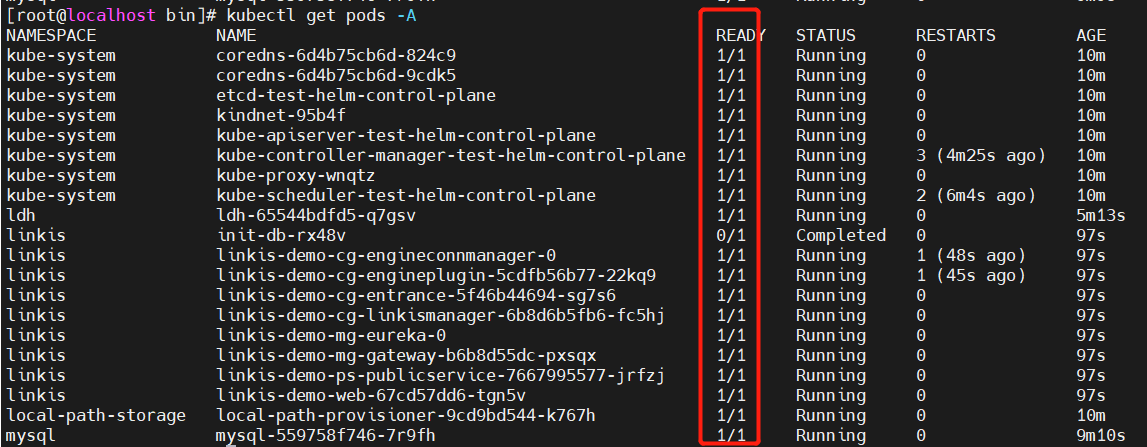
Step7 Run commands to view services and wait until all services are successfully started
kubectl get pods -A
Step8 Copy the ldh environment to linkis
./helm/scripts/prepare-for-spark.sh
Step9 Enabling Port Mapping
./helm/scripts/remote-proxy.sh start
Step10 Access to the system
linkis-web: http://10.0.2.102:8088/#/login
username:hadoop
Get the password command:
kubectl describe cm linkis-demo-linkis-config -n linkis |grep wds.linkis.admin.password
password:4f90c1b13
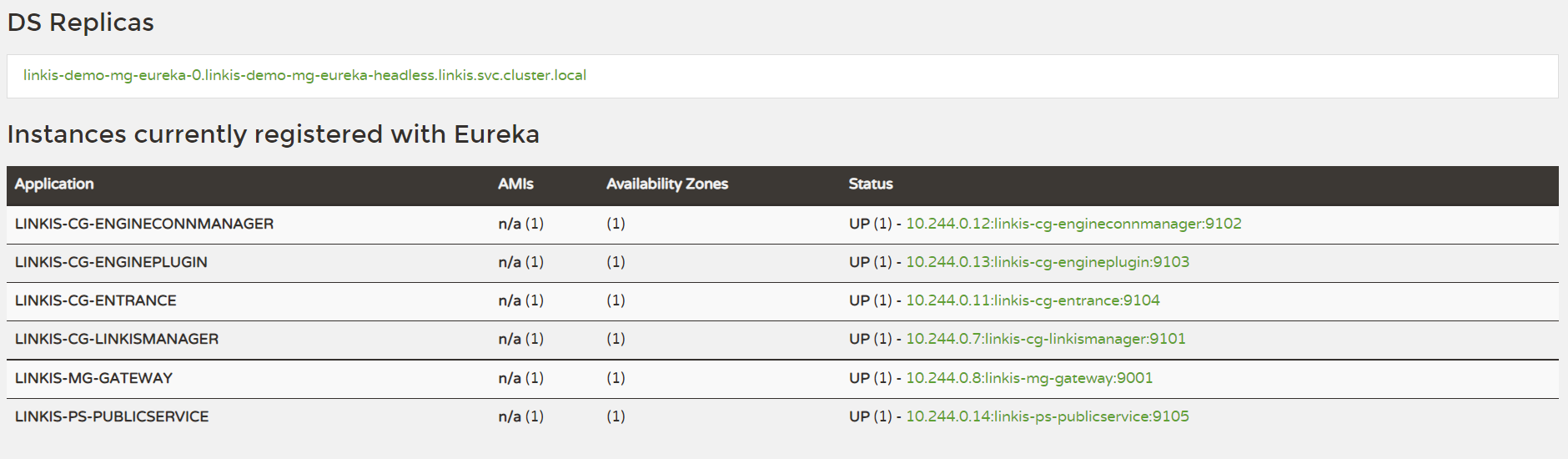
eureka: http://10.0.2.101:20303/
Step11 use linkis-cli executes the task
Enter the container
./helm/scripts/login-pod.sh cg-engineconnmanager
Executing shell tests
sh ./bin/linkis-cli -engineType shell-1 -codeType shell -code "echo "hello" "  -submitUser hadoop -proxyUser hadoop
Executing hive Tests
sh ./bin/linkis-cli -engineType hive-2.3.3 -codeType hql -code "show tables"  -submitUser hadoop -proxyUser hadoop
Executing spark Tests
sh ./bin/linkis-cli -engineType spark-2.4.3 -codeType sql -code "show tables"  -submitUser hadoop -proxyUser hadoop
Executing python Tests
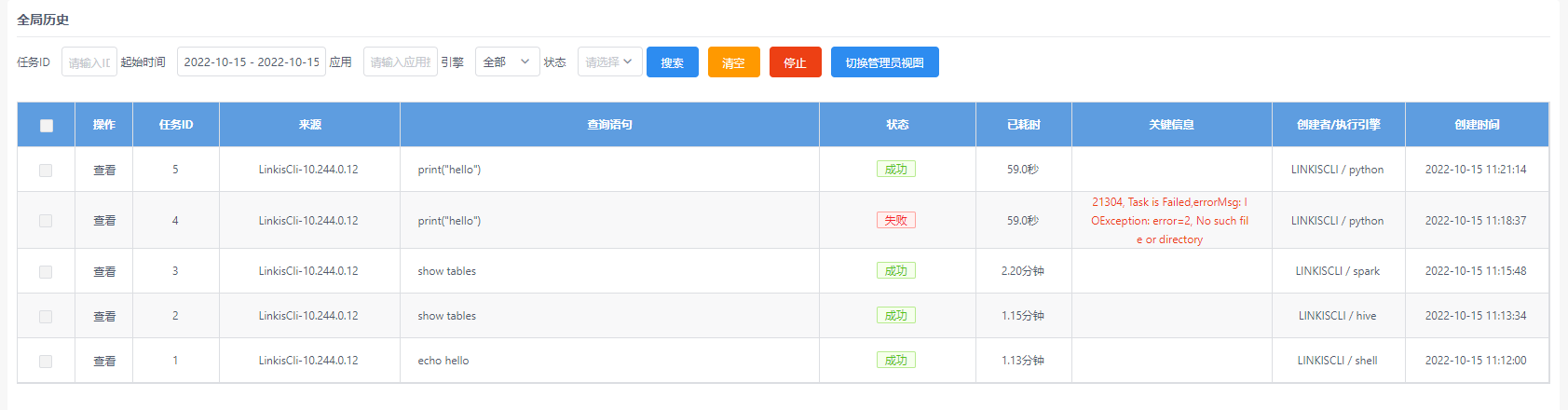
sh ./bin/linkis-cli -engineType python-python2 -codeType python -code "print(\"hello\")"  -submitUser hadoop -proxyUser hadoop  -confMap  python.version=python